
Download DVD-lab Pro – DVD authoring, DVD creation, DVD scripting, DVD playlists, multi-language DVD
Overview
DVD-lab Pro is a powerful desktop application designed for advanced DVD authoring, enabling users to produce professional-quality DVDs with rich multimedia features. The software caters to individuals and professionals seeking to create polished, interactive DVDs with support for multiple audio tracks, subtitles, and customizable navigation. Its core purpose lies in simplifying complex DVD production tasks while maintaining high levels of control and flexibility. The target audience includes video producers, educators, independent filmmakers, and content creators who require a reliable tool for delivering multilingual and interactive media experiences.
Developed by Mediachance, the software has established a niche in the productivity software space by combining robust functionality with an intuitive interface. Although specific developer background details are not provided, the consistent release updates and feature enhancements suggest a dedicated development team focused on user needs. Real-world use cases include creating training modules with language options, producing home videos with customizable playlists, and distributing multimedia content for educational or corporate purposes. In the broader software ecosystem, DVD-lab Pro fills a critical gap for users who still rely on physical media distribution, offering a feature-rich alternative to outdated or limited tools.
Key Features & Functionality
- Multiple Audio and Subtitle Support: Users can embed several audio tracks and subtitle files per project, allowing viewers to switch languages during playback. This is especially valuable for international distribution or content targeting multilingual audiences.
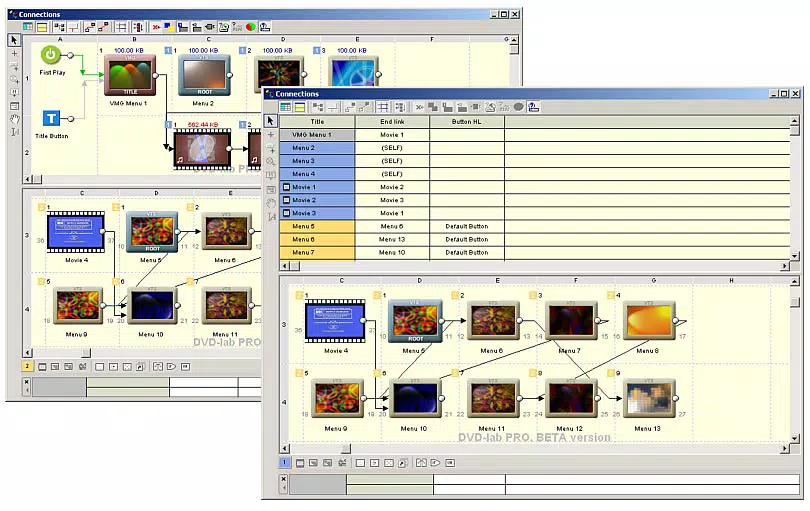
- Playlists, Counter Lists, and Random Lists: The software enables the creation of structured playback sequences, repeat counters, and randomized content order. This enhances user engagement and supports dynamic content delivery, such as in training videos or interactive presentations.
- Advanced Scripting Capabilities: DVD-lab Pro includes a full scripting engine with virtual machine-level access and a built-in script debugger. This allows developers and advanced users to embed custom logic, interactive menus, and conditional navigation within the DVD.
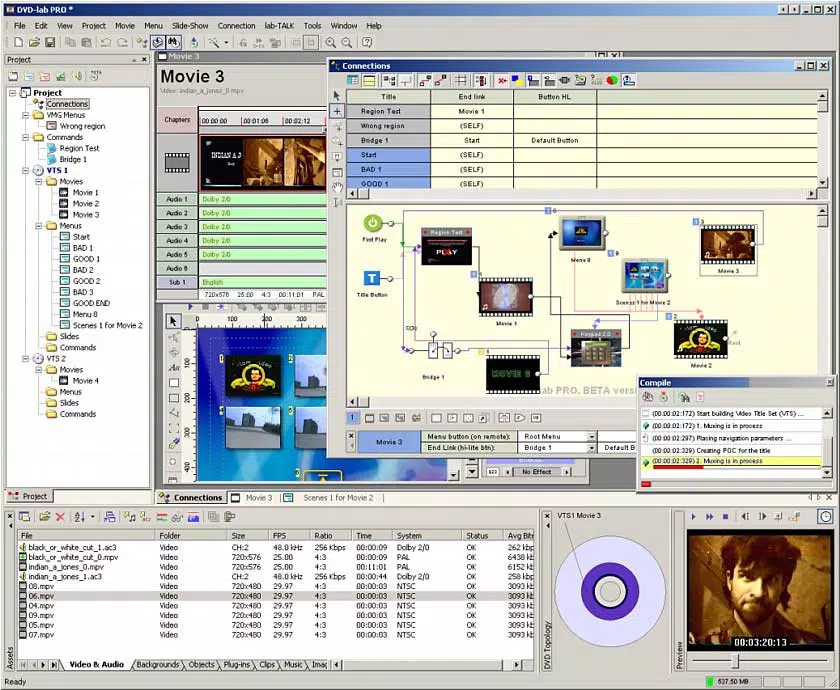
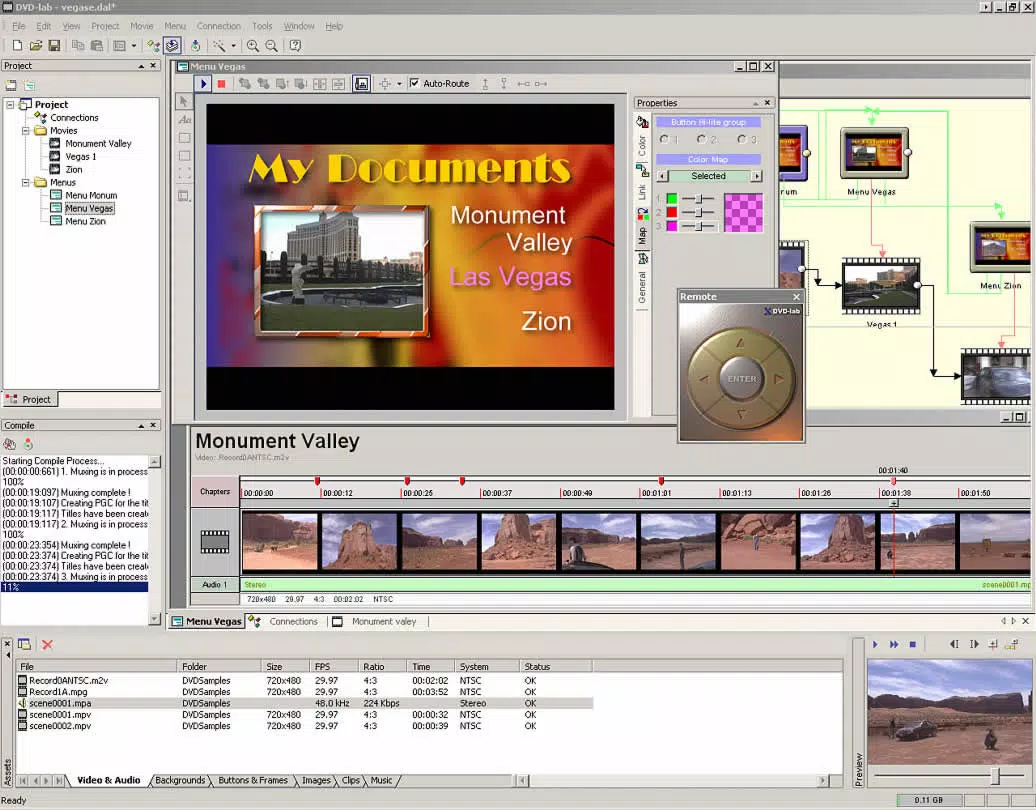
- Clear and Accessible Interface: Despite its depth of features, the software maintains a well-organized layout with logical workflows. This design philosophy ensures that both beginners and experienced users can navigate the tool effectively without a steep learning curve.
- Continuous Updates and Enhancements: Version 2.51 includes unspecified improvements, bug fixes, and performance optimizations, reflecting the developer’s ongoing commitment to quality and user satisfaction.
For example, a language instructor might use the multi-language feature to deliver lessons in English, Spanish, and German, while a filmmaker could leverage scripting to create branching storylines. The playlist system supports non-linear content delivery, ideal for interactive documentaries or educational modules.
Interface, UX & Performance
DVD-lab Pro presents a clean, structured interface optimized for workflow efficiency. The layout is divided into logical panels for project management, menu design, video editing, and scripting, allowing users to switch between tasks seamlessly. Visual design emphasizes clarity over ornamentation, prioritizing functionality and readability. Navigation is consistent across modules, reducing cognitive load and improving task completion speed.
Although the developer did not list formal performance metrics, the software’s lightweight footprint of 36.8 MB suggests efficient resource usage. It is expected to operate smoothly on modern Windows systems, though compatibility with older hardware may vary. Responsiveness is maintained during routine operations such as importing video files, adding subtitles, and previewing playback. Stability appears robust, particularly given the inclusion of a script debugger, which implies attention to error handling and system integrity. Users should expect minimal crashes during typical use, though performance may depend on the complexity of the project and system specifications.
Platform Compatibility & Technical Requirements
DVD-lab Pro is available exclusively for the Windows platform. The current version is 2.51, with a file size of 36.8 MB. This indicates a compact installation package, suitable for systems with limited storage. The developer did not specify minimum OS requirements or hardware recommendations, so users should ensure their Windows environment supports the application based on general compatibility standards.
While the software is not available on mobile platforms, its desktop nature aligns with its intended use case—complex, media-intensive tasks requiring precise control. Users should verify that their system meets the baseline requirements for running Windows applications, especially when working with high-resolution video content.
Pros and Cons
Pros
- Comprehensive DVD authoring capabilities with advanced features
- Support for multiple audio and subtitle tracks for multilingual content
- Flexible playlist and random list functionality for dynamic playback
- Powerful scripting engine with debugging tools for custom interactivity
- Intuitive interface suitable for both beginners and experts
- Regular updates and improvements in recent versions
Cons
- Available only for Windows, limiting cross-platform use
- No mobile or web version currently available
- Price point of $49.95 may be high for casual users
- Technical requirements not fully disclosed by the developer
- Requires a desktop environment for operation
FAQ
Is DVD-lab Pro compatible with all versions of Windows?
The developer did not specify minimum OS requirements. Users should ensure their Windows system meets general compatibility standards for desktop applications.
Can I use DVD-lab Pro to create DVDs for commercial distribution?
Yes, the software is designed for professional-quality DVD creation, making it suitable for commercial, educational, and corporate use.
Does DVD-lab Pro support high-definition video?
While specific video format support was not listed, the software is capable of handling standard DVD video formats. Users should verify input file compatibility based on project needs.
Is there a free trial version available?
The developer did not disclose trial availability. Users may need to purchase the full version to access all features.
How often are updates released for DVD-lab Pro?
Version 2.51 includes unspecified updates and enhancements, indicating a regular release cycle. Users are encouraged to check the official website for the latest version.
Final Thoughts
DVD-lab Pro stands out as a sophisticated yet accessible tool for creating high-quality, interactive DVDs. Its combination of advanced scripting, multilingual support, and flexible playlist systems makes it a top choice for professionals and serious hobbyists alike. The clear interface ensures that even those new to DVD authoring can achieve polished results without extensive training. While the Windows-only availability and price point may deter some users, the software’s depth of functionality justifies its value for targeted audiences. For educators, content creators, and multimedia producers who still rely on physical media, DVD-lab Pro offers unmatched control and creativity.
Download DVD-lab Pro now


